1. Access your VSS account.
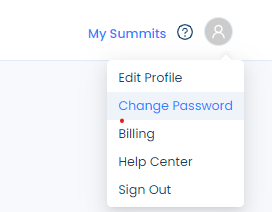
2. Go to the top right corner and click in your profile picture. By default there should be a person icon in grey.
3. Select "Change Password"
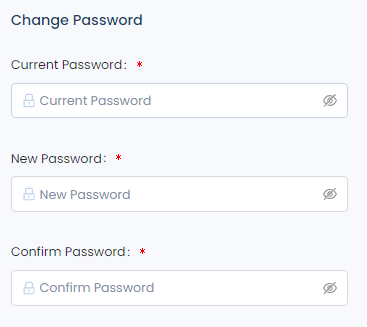
4. Fill out the necessary fields.