Summit Analytics Dashboard
The all new Summit Analytics Dashboard Feature has just been released! Please see the video tutorial and step by step screenshot tutorial below. If you have any questions at all, please email us at support@virtualsummits.com.
Video Tutorial:
Step By Step Screenshot Tutorial:
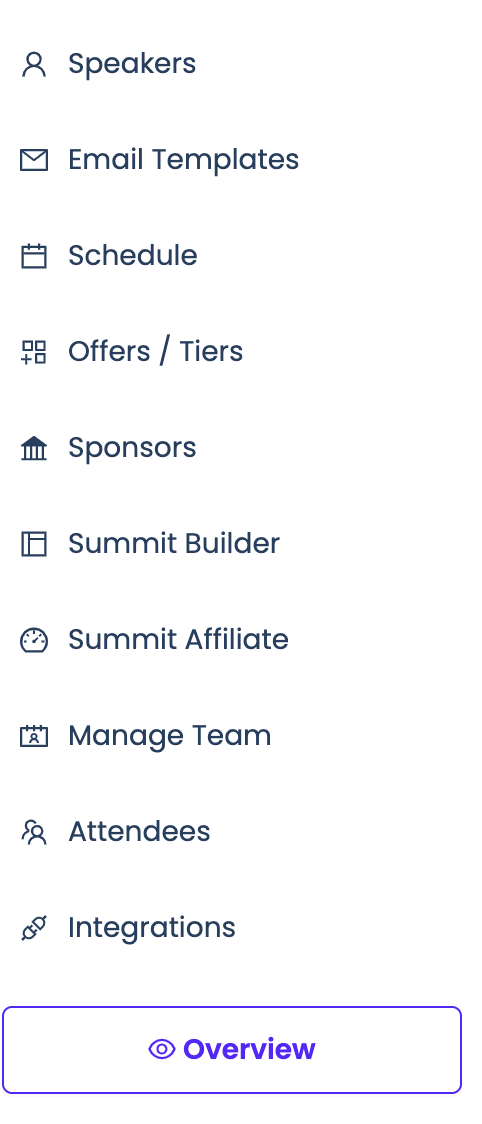
1. While in your specific summit, go to the Overview Button on the left side of your dashboard:
2. At the top, you will see 2 tabs, Overview and Analytics
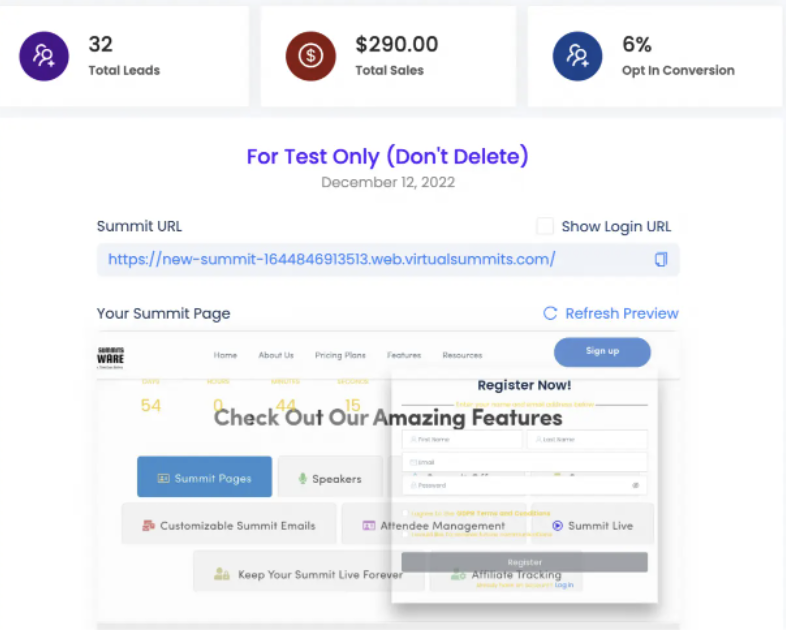
- Select Overview to see a full overview of your summit analytics:
- Select Analytics to see a detailed view:
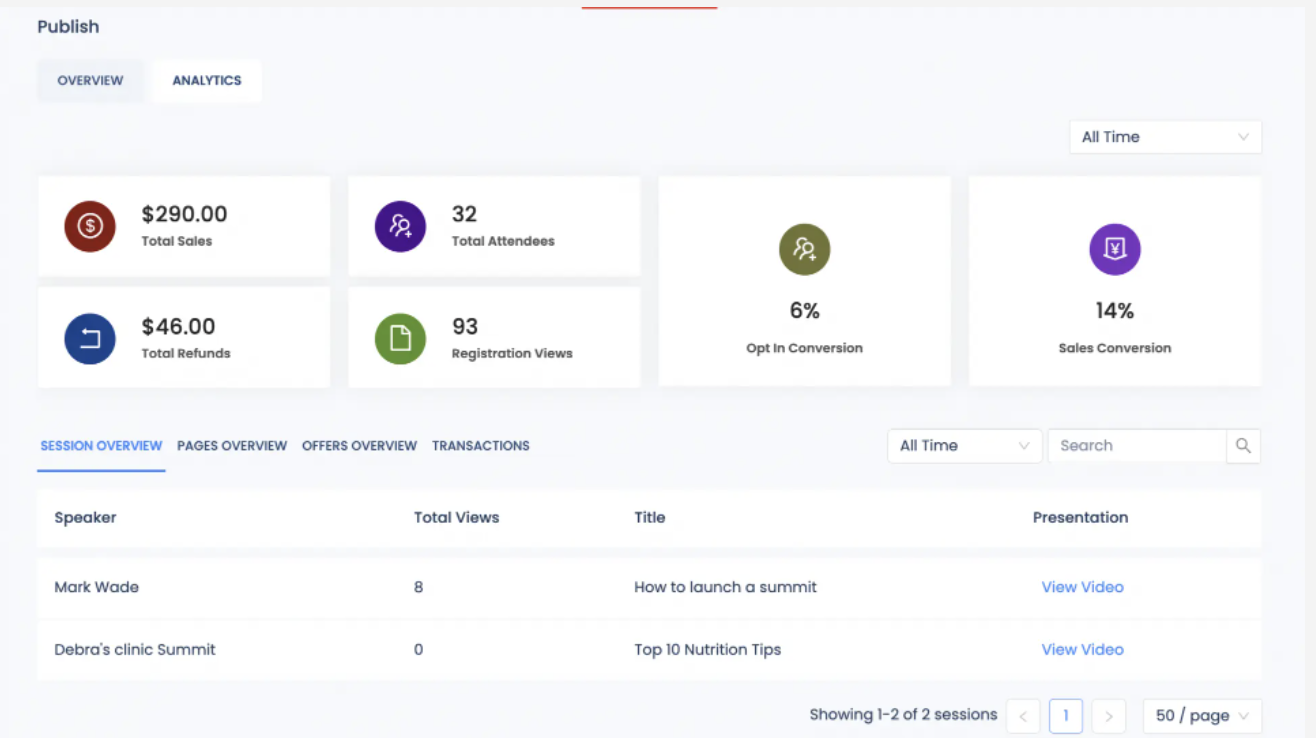
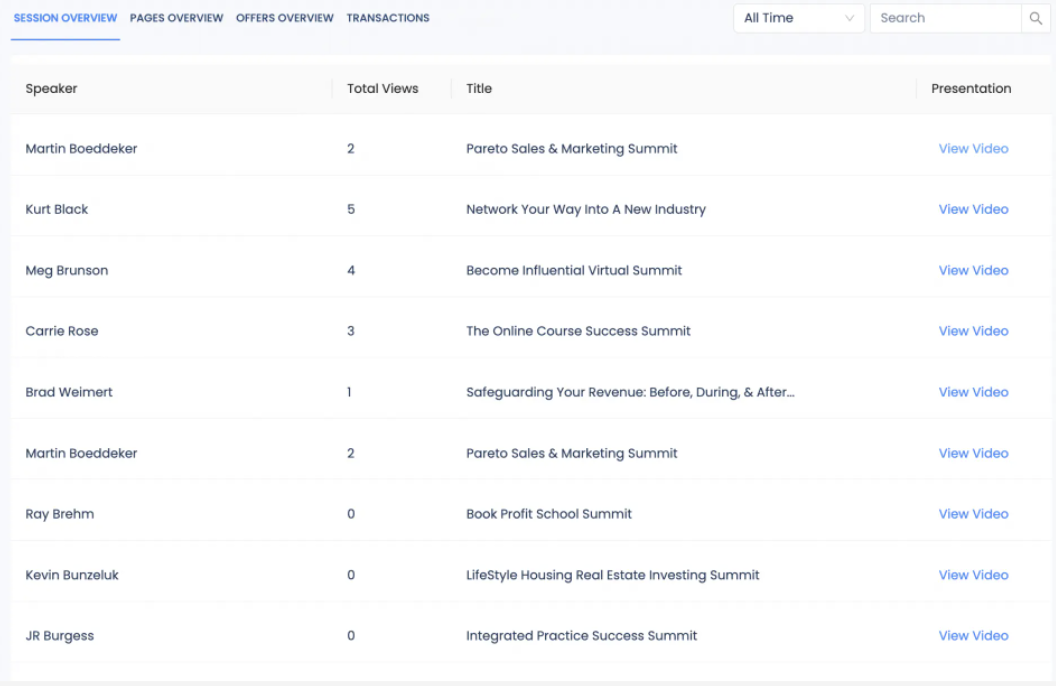
- To see individual session performance, select session overview and you will see each presentation listed with views, title, and the ability to view the presentation:
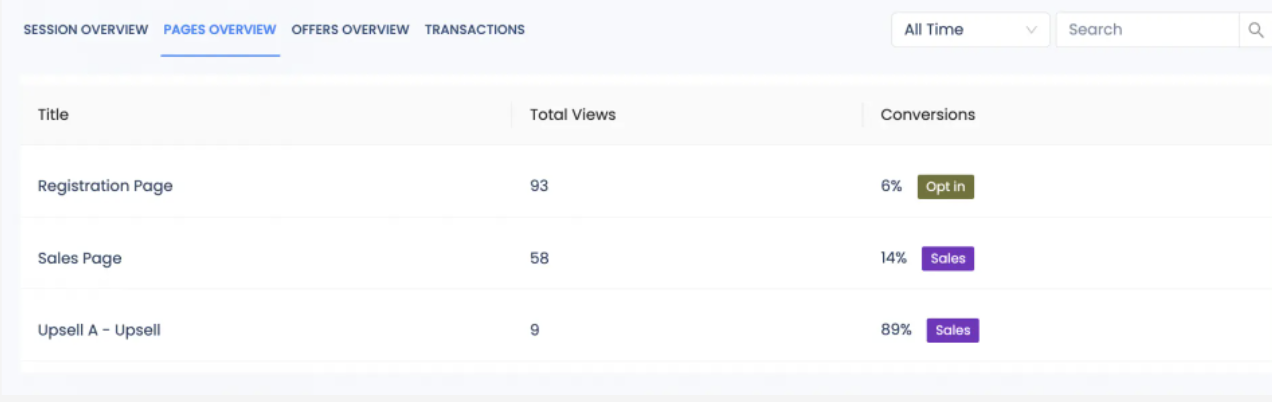
- To see the individual page overview, select pages overview, here you will see the total views to each page and their conversion rate:
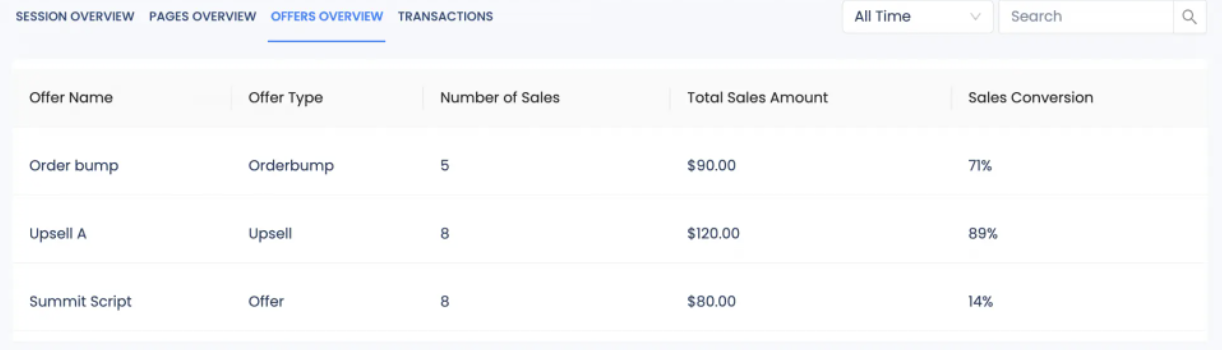
- You can view each of your individual offer, number of sales, total sales and sales conversions by selecting the Offers Overview:
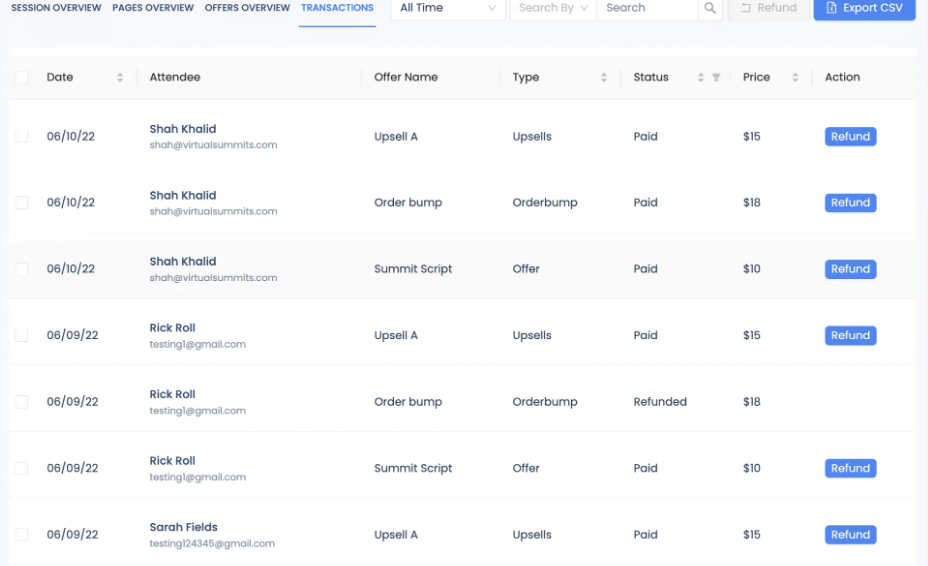
- You can view each individual transaction and all associated data, including the individual buyer, description and type of offer as well as export all data by selecting the Transactions tab: